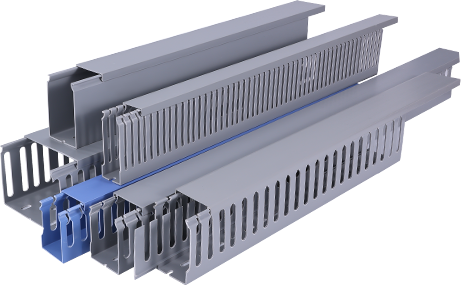
Whether you are completing a new electrical installation, upgrading an existing office workspace, or organizing loose cables in a residential renovation project, PVC cable trunking is one of the most cost-effective, practical solutions for keeping wiring safe, neat, and compliant with electrical safety standards. PVC, or polyvinyl chloride, is a lightweight, durable plastic material that offers excellent insulation against electrical currents, resistance to moisture and corrosion, and easy customization for any space. Unlike metal trunking, PVC requires no specialized cutting tools for basic projects and is much more affordable for DIY enthusiasts and small contractors alike. This guide will walk you through the entire process of planning, installing, and finishing PVC cable trunking to achieve a professional, long-lasting result.
First, proper planning and preparation are the foundation of a successful PVC cable trunking installation. Before you purchase any materials, you need to map out the route of your cables and calculate the size of trunking you will need. Start by identifying all the cables that will run through the trunking, including power cables, data cables, and any low-voltage wiring for security or audiovisual systems. A common mistake for beginners is choosing a trunking that is too small, which can make it difficult to push cables through and increase the risk of overheating for high-power wiring. As a general rule, you should leave 25 to 30 percent extra space inside the trunking for future additions or airflow. Next, gather all the necessary tools and materials: you will need your PVC trunking sections, matching end caps, corner joints, and coupling connectors, a tape measure, a pencil for marking, a fine-tooth saw or PVC cutting tool, sandpaper, a level, PVC adhesive, and a drill with screws or strong adhesive mounting tape. For safety, always turn off the main power supply to any electrical cables you will be working with before you start the project.
Secondly, cutting and preparing your PVC trunking to fit your planned route is the next critical step. Once you have marked your cutting lines based on your measurements, secure the trunking in a vise or against a stable work surface to avoid slipping. A fine-tooth hacksaw will give you a clean, straight cut, but specialized PVC cutters will make the job even faster and reduce the risk of jagged edges. After cutting, use fine-grit sandpaper to smooth down the cut ends of the trunking and the lid. Jagged edges can not only make it hard to fit connectors and lids into place, but they can also damage the insulation of your cables over time. When cutting internal or external corners, measure the angle carefully – most corners are 90 degrees, so you can cut each end of the meeting trunking sections at a 45-degree angle for a seamless fit, or use pre-molded 90-degree corner connectors to save time and get a cleaner finish. Always dry-fit all the trunking sections and connectors before you apply any adhesive or mount them to the wall to check for fit and make any small adjustments.
Third, mounting the trunking and running your cables is the core of the installation process. Start from the main entry point where your cables enter the wall or workspace, and work your way out to the final destination. Use a level to make sure your trunking runs straight, as crooked trunking will look unprofessional and can make fitting the lid more difficult. For mounting, you can either use screws drilled into the wall at 30 to 40 centimeter intervals, which is the most secure option for solid walls, or use heavy-duty double-sided mounting tape for light-weight trunking on smooth, flat surfaces like plasterboard or tile. Once the base of the trunking is secured to the wall, gather all your cables and feed them through the entire length of the trunking. If you are running a long route with multiple turns, you can pull the cables through with a fish tape to make the process easier. Avoid overpacking the trunking, and keep cables separated by type if possible – for example, keep power cables separate from data cables to reduce electromagnetic interference that can affect internet or signal quality.
Additionally, finishing the installation ensures your PVC cable trunking looks clean and stays secure for years. Once all cables are in place, snap or glue the lid onto the trunking base, starting from one end and working your way along. Apply a small amount of PVC adhesive to all connector joints and end caps to hold them in place and prevent dust or moisture from getting inside the trunking. Wipe away any excess adhesive with a clean cloth before it dries to avoid leaving visible marks. If you need to paint the trunking to match your wall color, choose a water-based latex paint that is compatible with PVC – avoid oil-based paints, which can break down the plastic over time. Lightly sand the surface of the trunking before painting to help the paint adhere better.
Finally, a few final safety and maintenance tips will help you get the most out of your PVC cable trunking. Always check your local building and electrical codes before starting any installation to make sure you are following all requirements for cable management. For outdoor installations, make sure you use UV-resistant PVC trunking, as standard PVC will degrade over time when exposed to direct sunlight. Every few years, check the trunking for any cracks, loose joints, or damage, especially if it is installed in areas with high moisture or temperature fluctuations. By following these steps, you can complete a professional-looking PVC cable trunking installation that keeps your cables organized, protected, and compliant, whether you are working on a DIY home project or a small commercial installation.